
 CuepupIn development
Prepare a music draft for an episode.
Cuepup helps decide where music should start and stop, choose tracks from a project’s library and edit them to the scene. The composer reviews the draft and makes the final decisions.
Today: our production scoring workflow runs in a third-party audio workstation. We are developing Cuepup Local as our own music and video editing application (DAW). A limited project-import path is tested; moving the full scoring workflow into it is still in progress.
Pipeline
From the picture to a draft you can edit.
Claude-based scene analysis works alongside dedicated audio and editing tools. Together they prepare suggestions for the composer to review. These scoring steps currently run in a third-party audio workstation; we are bringing them into Cuepup Local.
- 01
Picture
Analyze picture cuts and dialogue to describe what is happening in the episode.
Scene analysis - 02
Scene book
Claude helps write and check scene descriptions, giving the scoring tools context for their suggestions.
Scene descriptions - 03
Spotting draft
Suggest where music could enter and leave, and the kind of music each scene may need, such as tension, comedy or a love theme.
Proposed music cues - 04
Track selection
Choose tracks from the project’s library, consider earlier uses and prepare edits that fit the scene. Choices and repeats remain open to review.
Family · energy - 05
Composer review
The composer reviews the prepared session, changes music and timing, and decides what goes into the final mix.
Composer review
Review and improveCompleted-episode reviews record which choices were kept, changed or removed. These records help guide later selections and development; they do not retrain the underlying model.
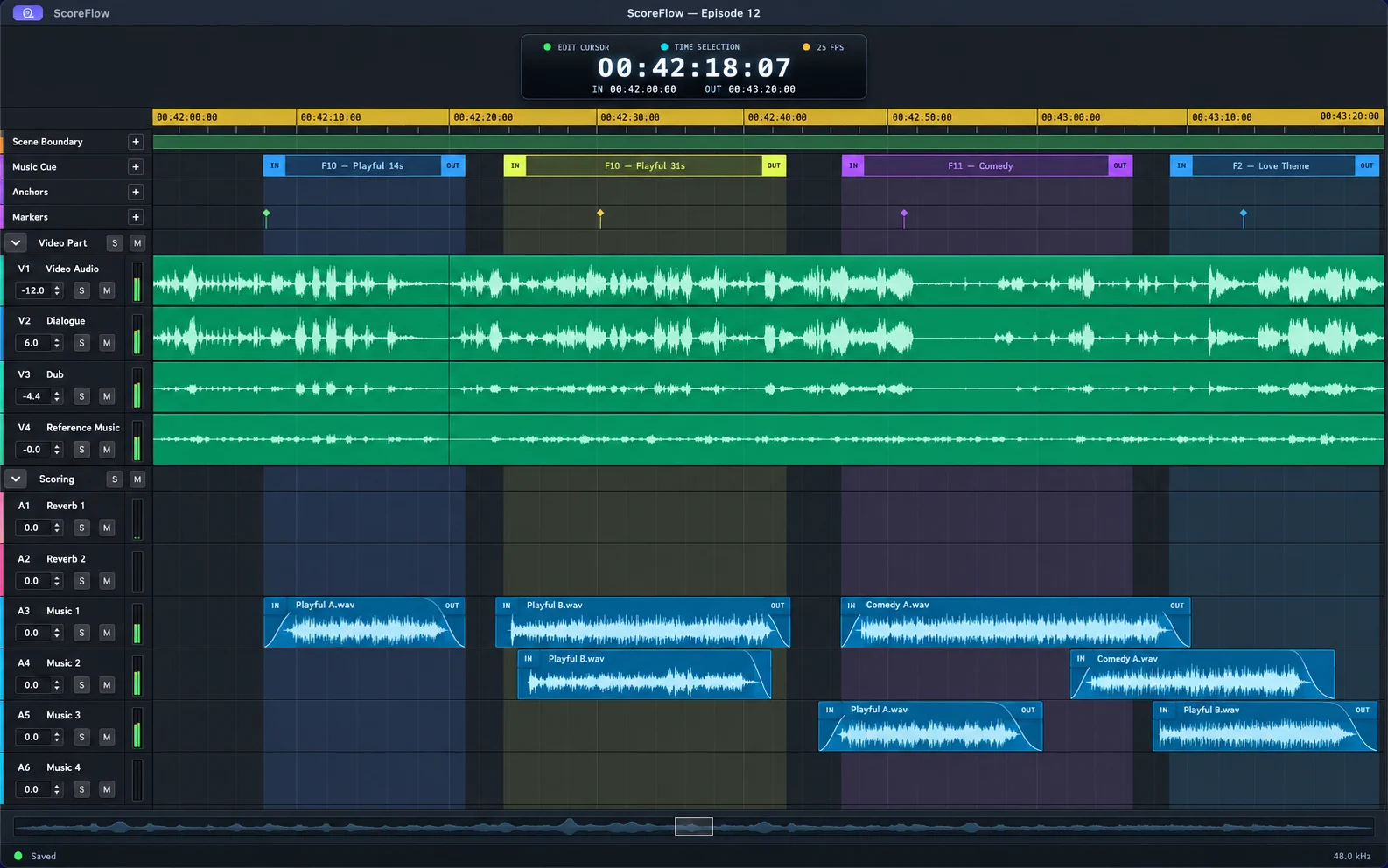
Spotting draft
Illustration of a spotting draft: picture cuts, scene changes, dialogue and music regions with their families, and the in and out of one cue.
How we check it
Compare the draft with the composer’s decisions.
We review song choices, music entrances and exits, and the edits needed to reach the final version. These are internal checks on our own work. They help us find what needs improvement.
Dated internal measurements and their limits
- Song selection: in episodes 23–25 of one in-house drama, the proposed song remained the dominant final song in 88 of 100 compared regions (28/29, 27/33 and 33/38). A retained song covers at least 30% of its region. Timing, source edits and level may still change. This is not an unchanged-edit rate.
- Music or silence: the 13-episode production baseline recorded on 7 October 2026 averaged 84.7% agreement with the final project, sampling once per second and averaging each episode equally. This measures music presence, not the quality of the song or edit.
- Boundary proposals: a frozen 27 September 2026 evaluation over 21 episodes measured exact matches to human-marked interior picture cuts. Mean F1 was 0.798; pooled precision was 0.913 and recall 0.710. Episode starts and ends were excluded. This is a boundary test, not a measure of overall scene understanding.
These dated checks describe the in-house scoring workflow. They are not external customer results, a current release certification or proof of complete production use in Cuepup Local.
The DAW
Our own editing workspace, in development.
Cuepup Local is designed to keep the original audio and video on your Mac. Opening, editing, saving, relinking and rendering have passed in-house technical checks with synthetic test media. Full production-workflow integration and musical validation remain in progress.
Keep originals local. Test a lighter copy online.
The cloud workflow is an owner-only pilot. Upload is explicit, browser edits use compressed copies, and revisions return to the local originals for rendering. Shared team access is not available in this pilot.
Local-first
Open, edit, save and render local projects offline on Mac, within the current tested scope.
Upload when you choose
Create a lightweight cloud copy explicitly. The original audio and video stay on your drives.
Lightweight playback
The private pilot streams compressed audio and video copies for browser editing.
Private browser access
Open a selected cloud project through an owner-only link. Shared team access is not currently offered.
Bring revisions home
Edit the cloud copy and download a revision. Return it to Cuepup Local to render with the originals.
Add local material
Import new audio and video into Cuepup Local. Cloud upload and revision return are explicit steps.
Explore a Cuepup beta partnership.
Tell us about your workflow. We agree the pilot scope before requesting project material.